
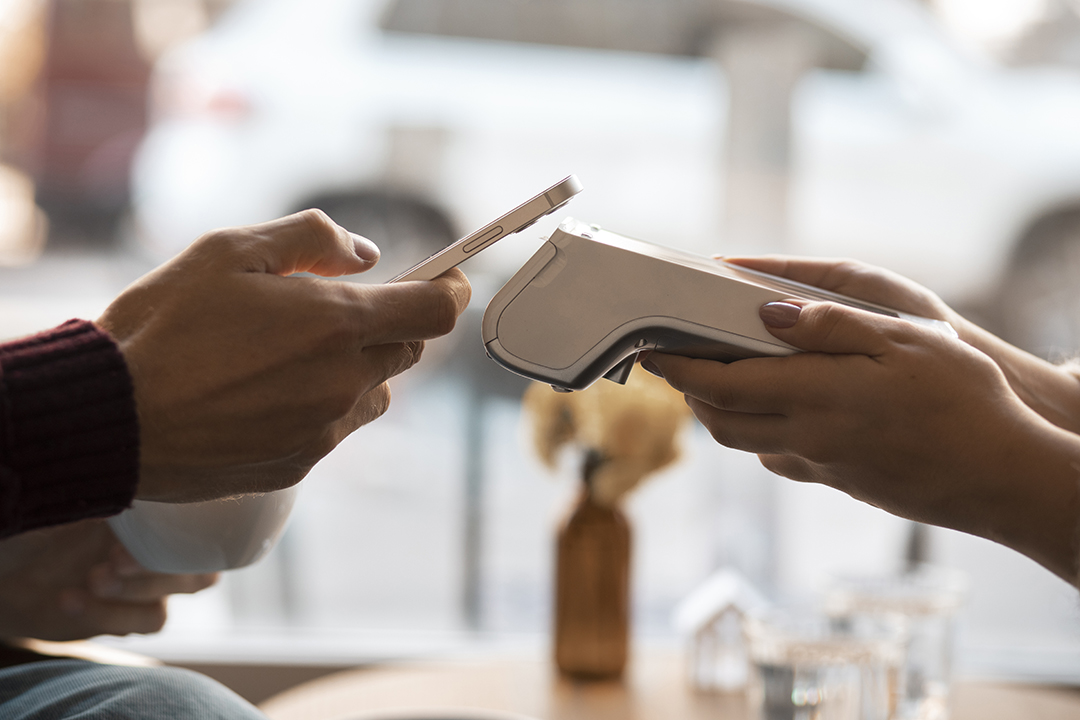
Taking payments should be the simple part of your job, no matter where your business takes you.
If you’re running a pop-up, a service business, or a food truck, you need a system that travels with you but keeps the back-end organized. That’s where SwipeSimple POS shines.
This guide covers the essentials: what SwipeSimple POS is, the hardware options available, and the features that matter most, so you can decide if it’s the right fit for you.
What Is SwipeSimple POS?
Think of SwipeSimple not just as a card reader, but as a central command center for your payments. It’s designed to handle everything from on-the-go mobile sales to traditional countertop checkouts and even online payments, all tracked in one easy-to-use dashboard.
The major benefit is flexibility. Instead of forcing you to get paid just one way, SwipeSimple adapts to how you work.
The Toolkit: How it Breaks Down
SwipeSimple POS is a suite of tools working together:
- SwipeSimple Payments (Mobile App): Turn your smartphone or tablet into a register by pairing it with a card reader.
- SwipeSimple Virtual Terminal: Use your computer to take payments, send invoices, create payment links, or manage customer cards on file.
- SwipeSimple Terminal: Dedicated handheld or countertop hardware (like PAX devices) that have the screen and card reader built right in.
- SwipeSimple Register: A full countertop setup using a tablet for a faster, more traditional retail checkout experience.
Currently, SwipeSimple is available for businesses in the U.S.
Who Is SwipeSimple POS Best For?
SwipeSimple POS really shines for businesses that don’t fit the traditional mold of a single cash register sitting on a counter. It’s built for merchants who need to move around.
It’s a perfect match for:
- Service Providers: If you need to settle the bill immediately after finishing a repair, consult, or appointment.
- Agile Retailers: Think boutiques, mall kiosks, or pop-up shops that might change locations or only operate seasonally.
- Food & Drink Vendors: Food trucks or stands that need a fast checkout flow with easy tipping options.
- Event Vendors: If you sell at festivals or trade shows, portability is key—and SwipeSimple travels easily.
This is a great choice if you need to mix in-person and mobile sales, send invoices remotely, or handle recurring billing with cards on file.
SwipeSimple POS Software Options (What You Can Use Day-to-Day)
SwipeSimple isn’t a “one-size-fits-all” system. It’s designed to fit your workflow, allowing you to choose the exact tools that match how, and where, you do business.
Mobile App POS (Take Payments Anywhere)
This option turns your smartphone or tablet into a fully functional register. You just pair it with a card reader, and you’re ready to sell wherever you are. It’s the go-to choice for food trucks, pop-up shops, and mobile professionals.
What it handles:
- Smart Checkout: Ring up sales easily using an item catalog or quick-entry keypad.
- Tips & Taxes: automatically prompt customers for tips and apply the correct tax settings.
- Digital Receipts: Skip the paper and send receipts instantly via text or email.
Virtual Terminal (Browser-Based Checkout & Billing)
Think of this as your command center. Accessible from any computer, the Virtual Terminal lets you handle payments and billing without needing a physical card reader. It is perfect for managing remote orders or handling client invoices.
What it handles:
- Manual Entry: Key in card numbers directly from your web browser.
- Invoicing: Create and send invoices or secure payment links to clients.
- Card-on-File: Securely store customer card details for future use.
- Flexible Billing: Set up scheduled payments, installment plans, or recurring subscriptions.
SwipeSimple Register (The Countertop Experience)
If you have a physical location, this setup gives you a traditional, professional checkout lane using a tablet and essential peripherals. It’s built for small retail shops or businesses that split time between mobile and in-store sales.
What it handles:
- Retail Workflow: Supports fast, item-based ringing right at the counter.
- Hardware Integration: Connects seamlessly with cash drawers and receipt printers.
- Complex Orders: manage item modifiers (like sizes or add-ons) and apply item-level taxes easily.
SwipeSimple Terminal (All-in-One Handheld Device)
If you prefer a dedicated device rather than using your personal phone, these handheld terminals are the answer. They are portable, all-in-one units with touchscreens, meaning you don’t need extra hardware to make a sale.
What it handles:
- Built-in Payments: Accept cards directly on the device, no pairing required.
- Receipts: Most models include a built-in printer for immediate physical receipts.
- Connectivity: Stay online with Wi-Fi or Cellular options (depending on the model), so you’re never out of range.

Hardware & Device Options You Can Pair With SwipeSimple
Card Readers for Mobile Checkout
SwipeSimple works with a variety of card readers, though the exact model you receive depends on your provider. You might see models like the Swift B250 or newer options as they roll out.
Regardless of the model, most readers include these key capabilities:
- Bluetooth connectivity for wireless freedom.
- EMV chip acceptance for secure card dips.
- NFC/contactless payments (Support for Apple Pay and Google Pay depends on your specific reader).
Register Peripherals
If you are running a countertop setup, SwipeSimple Register is designed to work alongside the rest of your hardware. You can pair it with:
- Receipt printers
- Integrated cash drawer systems
To see exactly which models fit your specific setup, just check the hardware support documentation.
Compatibility & Support
To make sure everything talks to each other correctly, it’s best to reference the official hardware support resources. These guides are the best place to find help with:
- Hardware pairing
- Printer setup
- General troubleshooting
We recommend keeping these documents handy during your installation to ensure full compatibility.
Core POS Features to Highlight
SwipeSimple is designed to streamline your workflow by focusing on the essential features that drive your business forward:
- Catalog & Checkout: Organize your products for rapid access and faster transaction times.
- Inventory Oversight: Maintain control with high-level item tracking and inventory monitoring.
- Transaction Management: Seamlessly apply tips, calculate taxes, and offer discounts during the sale.
- Receipt Options: Offer digital convenience (text/email) or traditional printed receipts (depending on your device).
- Customer Management: Create detailed profiles and utilize “Card-on-File” storage for returning clients.
- Remote Billing: Expand your reach with digital invoices and secure payment links.
- Recurring Billing: Automate your cash flow with tools for subscriptions, installments, and future scheduled payments.
Integrations & “Ecosystem” Considerations
There is one key detail about SwipeSimple POS you should know upfront: it is usually sold through merchant service providers or resellers, not directly to you. Because of this, your experience can change depending on who you sign up with.
What to keep in mind regarding your provider:
- Pricing: Costs aren’t fixed and can vary between resellers.
- Support: The quality of customer service depends on the company you purchase through.
- Features: Some specific tools or reporting options might differ by provider.
SwipeSimple operates a bit differently from software with a sticker price on the website. Because it is sold through a network of partners, the cost depends on the specific package you build.
Here is the high-level breakdown:
- Hardware: You will purchase your card readers, terminals, or full register kits upfront.
- Rates & Fees: Your monthly subscription and credit card processing rates are determined by the provider you choose.
- Service: Your onboarding help and customer support will also come from that provider, so experiences can vary.
Since there is no “one size fits all” price, getting started usually begins with a consultation to find the right merchant service provider for you.
Getting Started: What Setup Looks Like
Getting SwipeSimple up and running is usually a smooth process. Here is the step-by-step path to launch day:
- Find your partner: Start by choosing the merchant services provider who will service your account.
- Pick your style: Decide which setup fits your business best—a mobile reader, a standalone terminal, or a full register kit.
- Get equipped: Order your physical hardware and download the SwipeSimple app onto your device.
- Customize your settings: Build out your item catalog and configure the nitty-gritty details like tax rates and tipping options.
- Do a dry run: Process a few test transactions to make sure payments and receipts are working perfectly.
- Open for business: You are ready to go live and start selling!
SwipeSimple POS vs Other Mobile POS Systems
Where it shines:
SwipeSimple is a winner if you need versatility. It makes it incredibly easy to accept payments however your customers want to pay—whether that’s on a mobile device, through a virtual terminal on your computer, or at a traditional countertop. It is also fantastic for remote billing, offering strong features for digital invoices and payment links.
When to pause and reflect:
It might not be the right fit if your business has complex operational needs. If you require advanced hospitality features (like complicated menus or kitchen workflows) or deep employee management tools, you might outgrow it. Also, be sure to double-check if you rely on specific third-party integrations or custom API connections, as these can be limited.
Frequently Asked Questions
Is SwipeSimple a POS system or just a payment app?
It’s a bit of both. Depending on how you set it up, it can work as a simple payment platform or a full-fledged POS ecosystem.
What hardware works with SwipeSimple?
It plays nicely with most standard gear—including card readers, terminals, printers, and cash drawers, though you should double-check with your provider to see which specific models they support.
Can SwipeSimple send invoices or payment links?
Absolutely. You can create and send those directly through the Virtual Terminal feature.
Can SwipeSimple handle recurring or scheduled payments?
Yes, it covers all of that. You can easily set up subscriptions, installment plans, or future charges.
Does SwipeSimple work for pop-ups and mobile businesses?
Definitely. In fact, mobility is one of the system’s biggest strengths.
How does pricing work if SwipeSimple is sold through providers?
Since you don’t buy it directly from SwipeSimple, your transaction rates, monthly fees, and support options will depend on the specific partner you sign up with.
Is SwipeSimple only available in the U.S.?
For now, yes. It is currently available exclusively to businesses based in the United States.
Final Thoughts & Next Steps
SwipeSimple POS is designed for businesses that refuse to be tied down. Whether you need mobility, flexibility, or just a cleaner way to handle payments, this system ensures you aren’t locked into a “one-way-only” checkout experience.
From the field to the front counter—and everywhere online in between—SwipeSimple gives you one unified ecosystem to get paid.
Ready to find your fit?
Request a demo of the SwipeSimple Register or Virtual Terminal.
Sign Up for our Newsletter